


TV Cast Pro for LG webOS
4.2410.00 Reviews
App Specs
- Version
- 2.60
- Updated On
- License
- $6.99
- Downloads
- 100,000+
- Developer
- 2kit consulting
- Categories
- Video Players & Editors
- Platform
- Android, iOS
Screenshots
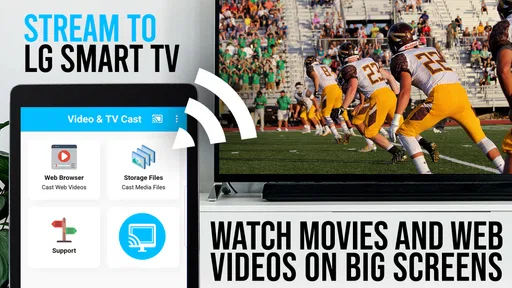
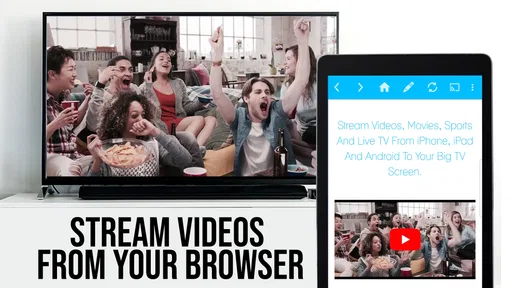
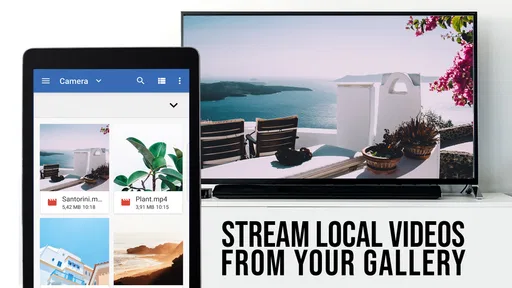
 Analysis by AppCompare
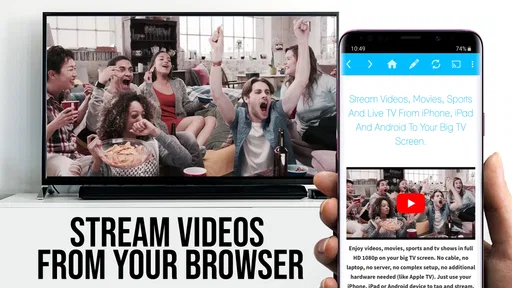
I judge casting apps less by their feature lists than by whether I can use them comfortably from the sofa, without turning a simple video into a troubleshooting session. TV Cast Pro for LG webOS is a paid video player and editing-category app from 2kit consulting, built around sending web video to an LG TV. Its appeal is practical: browse or enter a web address on the phone, then watch on the larger screen. The experience makes most sense when the video is available to a browser-based player and you want the phone to act as a remote rather than as the screen everyone crowds around.
Readable navigation for a phone-to-TV routine
The starting point is straightforward: connect the phone and TV to the same Wi-Fi network, then use the app to find a video or enter its URL. That keeps the workflow familiar to anyone who can browse on a phone, although the small-screen browser is still a phone interface, not a full desktop replacement. I would save frequently used pages as bookmarks instead of retyping long addresses; it cuts down on fiddly work and makes a repeat viewing session easier to start.
There is a useful distinction between casting a video and mirroring everything on a phone. Here, the intention is to send supported web video to the television, leaving the phone available for browsing and playback controls. That can make a shared viewing session less awkward than passing a handset around. The trade-off is that the source page matters: if a site changes its layout or handles playback in an unusual way, finding the video may take more effort than simply opening a familiar streaming service on the TV.
Motor and sensory considerations
Using a phone for playback controls can be easier than reaching for a television remote, especially when the phone is already in hand. Pausing, skipping forward, and adjusting volume from one place reduces the number of devices to juggle. For someone who finds small touch targets or precise taps tiring, though, any phone-based browsing still asks for some fine control. I would set up the page and start the video before settling in, rather than expecting to navigate a busy website repeatedly during a film.
For sensory comfort, the main advantage is the larger TV picture and the ability to keep the phone nearby instead of holding it up to watch. The app’s web-based approach also means the appearance and behavior of the source video can vary from one site to another. I would not assume every page offers the same readable controls, captions, or predictable playback; those details depend on the video source. If consistent captions or a familiar player layout are essential, using the service’s own TV app may be the safer choice.
Where it fits in everyday life
A realistic use is finding a video on the phone during a quiet evening, bookmarking the site if it is one you return to, and sending the clip to the LG TV so other people can watch comfortably. It can also suit a livestream or an online movie that you normally view through a browser. The phone remains useful for pausing or changing playback without taking over the TV screen, which is handy when someone else is holding the remote or when you want to keep the controls close.
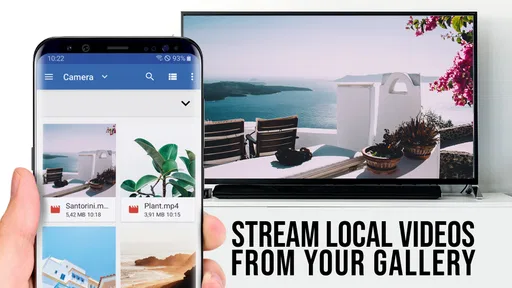
The app is less compelling if nearly everything you watch already has a dedicated app on your LG TV. Opening that TV app is often the simpler route: it avoids phone-to-TV setup and keeps browsing and playback on one device. I would also look elsewhere if you need to cast arbitrary phone content, mirror games, or move local files through a general-purpose screen-sharing tool. TV Cast Pro is most relevant when the source is web video, not as an all-purpose replacement for every kind of casting.
Worth Reading Before You Choose

EA SPORTS FC Mobile 26 Is a Bigger Football Game, but It Takes Time

Flipboard Shows What News Apps Must Do Beyond the Feed

Switching to Android Auto Means Rethinking Your Driving Routine

Google Calendar Makes a Crowded Week Easier to Manage

Ludo King Makes the Most of the Minutes Between Plans

Baby Panda World Brings Quick Play to Modern Phones, but Its Game Library Feels Busy
Limits, cost, and who should choose it
TV Cast Pro costs $6.99, carries an Everyone age rating, and has a 4.0 average from around 4,300 ratings. It has passed 100,000 installs, and its current version is 2.57; the app first appeared on November 11, 2016, and requires Android 7.0 or later. Those details put it in the paid, established corner of the casting category, but they do not guarantee that every web page will behave equally well. The app’s value depends on how often you need this particular phone-browser-to-LG-TV route.
Before buying, I would ask myself two practical questions: do I regularly watch web videos that are inconvenient to view on the TV itself, and am I comfortable browsing to them on a phone? If the answer to both is yes, paying once for a dedicated workflow may be worthwhile. If you only cast occasionally, first compare that need with built-in TV apps and the casting options already available on your devices. For a dependable source with its own LG app, that native option usually involves fewer steps.
There is also a small but important setup trade-off: both devices need to be on the same Wi-Fi network. In a home with separate guest and main networks, that can be the reason a connection fails, so checking the network on both screens is a sensible first troubleshooting step. It is more useful than repeatedly restarting playback or assuming the video itself is at fault. Bookmarking pages you trust also helps separate a connection problem from a site-specific playback problem.
Setting Up the Magic
First things first, getting TV Cast Pro for LG webOS up and running is a breeze. I downloaded it from the app store and within minutes, I was ready to roll. The app walks you through a simple setup process, making it super easy to connect your device to your LG TV. Just ensure both your phone and TV are on the same Wi-Fi network, and voilà, you’re all set.
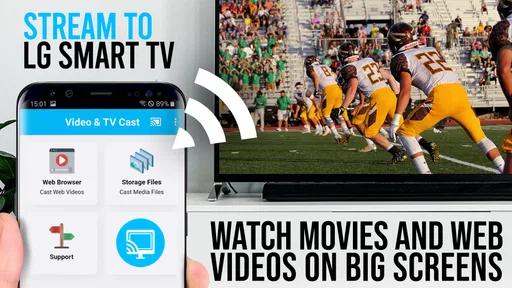
Once connected, the user interface is clean and intuitive. I love that there are no unnecessary frills—just straightforward options to cast your content. You can either browse the web within the app to find videos or directly enter a URL. It’s almost like having a magic wand for streaming!
Features Worth Mentioning
Now, let’s talk about the features. One of my favorites is the ability to bookmark websites. This is perfect for those nights when you’re binge-watching a series from a website and want to pick up where you left off without the hassle of searching all over again.
The app also supports a wide range of video formats, which is fantastic. Whether it’s MP4, M3U8, or even some of the less common formats, TV Cast Pro plays them all. And for those of us who love our HD content, the app streams in high quality, ensuring a crisp, clear picture.
Seamless Streaming Experience
I put the app through its paces with various types of content—movies, live streams, you name it. The performance was consistently smooth, with minimal buffering. It’s like the app has a sixth sense for finding the best streaming quality without any input from me.
Another noteworthy feature is the ability to control the playback directly from your phone. Whether it’s pausing, skipping forward, or adjusting the volume, it’s all at your fingertips. This means no more fumbling around with multiple remotes.
Not Just for Techies
One thing I appreciate about TV Cast Pro for LG webOS is how user-friendly it is. You don’t need to be a tech guru to get the most out of it. The app is designed with the average user in mind, making it accessible to everyone. My parents, who are not the most tech-savvy people, managed to use it without calling me for help—not once!
And while the app isn’t free, the price is reasonable for the convenience it offers. Plus, there are no pesky ads to interrupt your viewing experience, which is a huge win in my book.
Final Thoughts
In conclusion, if you’re looking for a reliable, easy-to-use app to stream your favorite content from your phone to your LG TV, TV Cast Pro for LG webOS is definitely worth checking out. It’s packed with features that make streaming a delight, from its format support to its seamless playback controls.
So next time you’re ready for a movie night at home, give this app a try. You might just find yourself wondering how you ever managed without it. Happy streaming!
An inclusive choice, with a specific purpose
For me, the strongest accessibility point is not a special setting but the division of labor: the TV is for watching, while the phone can remain within reach for basic playback actions. That arrangement may suit people who prefer not to handle a television remote or who want to sit farther from the screen. It is not automatically easier for everyone, however. A person who finds phone browsing tiring may prefer a familiar TV interface, voice control where available, or a source app with larger, predictable controls.
It also helps to plan around the viewing environment. In a shared room, starting a video before others settle down avoids repeated phone interaction and keeps attention on the program. For a livestream, I would test the page before the event begins, because a live player can be less forgiving than a bookmarked clip if the source page changes or takes time to load. That simple check can make the difference between a relaxed watch and troubleshooting while everyone waits.
My overall recommendation is narrow but positive: I would consider this app if web videos are a regular part of what I watch on an LG TV and I want phone-based browsing and controls. I would skip it if my viewing is already covered by the TV’s own apps, or if I need broad screen mirroring rather than web-video casting. Its usefulness comes from doing one job in a convenient way; choosing it with that boundary in mind is the best route to a good experience.
Pros
- Easy to connect with LG webOS.
- Supports multiple video formats.
- No ads in the pro version.
- High-quality streaming available.
- User-friendly interface.
Cons
- Limited subtitle support.
- Requires stable Wi-Fi connection.
- No screen mirroring option.
- Some formats may need conversion.
- Paid app with no free trial.
FAQs for TV Cast Pro for LG webOS
What features does TV Cast Pro for LG webOS offer?
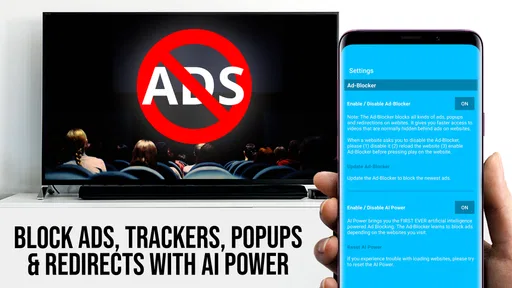
TV Cast Pro for LG webOS allows users to stream videos, photos, and music from their phone or tablet directly to their LG TV. The app supports multiple video formats and offers features such as ad-blocking, bookmarks for frequently accessed sites, and a browsing history option for easy access to previously visited pages.
Is TV Cast Pro for LG webOS easy to set up and use?
Yes, TV Cast Pro is designed with user-friendliness in mind. After downloading the app, you simply need to connect your phone or tablet to the same Wi-Fi network as your LG TV. The app provides a step-by-step guide to ensure a smooth setup process, making it accessible even for those who are not tech-savvy.
Does TV Cast Pro support all video formats?
While TV Cast Pro supports a wide range of video formats, not all may be compatible. The app is regularly updated to include more formats, but users may encounter issues with very rare or proprietary formats. It's recommended to check the app’s support page for the latest updates on compatibility.
Are there any limitations when using TV Cast Pro for LG webOS?
One limitation is that the performance of streaming can depend on the strength and stability of your Wi-Fi connection. Additionally, some features may require in-app purchases. Users should also be aware that DRM-protected content may not be streamable due to licensing restrictions.
How does TV Cast Pro handle privacy and data security?
TV Cast Pro takes privacy seriously, ensuring that personal data is not collected without consent. The app does not require unnecessary permissions and only uses information essential for its functionality. Regular updates also address security vulnerabilities, helping to protect your data while using the app.


